
Thermo Fisher Scientific: InnoviGene™ Suite Software
InnoviGene Suite is an all-in-one, browser-based platform that offers a symphony of Sanger sequencing and fragment analysis applications software, providing a harmonious bouquet of tools to connect, automate, and secure your data analysis. With its user-friendly interface and advanced features, InnoviGene Suite orchestrates researchers and scientists to efficiently manage and analyze their sequencing data, enabling accurate and reliable results.
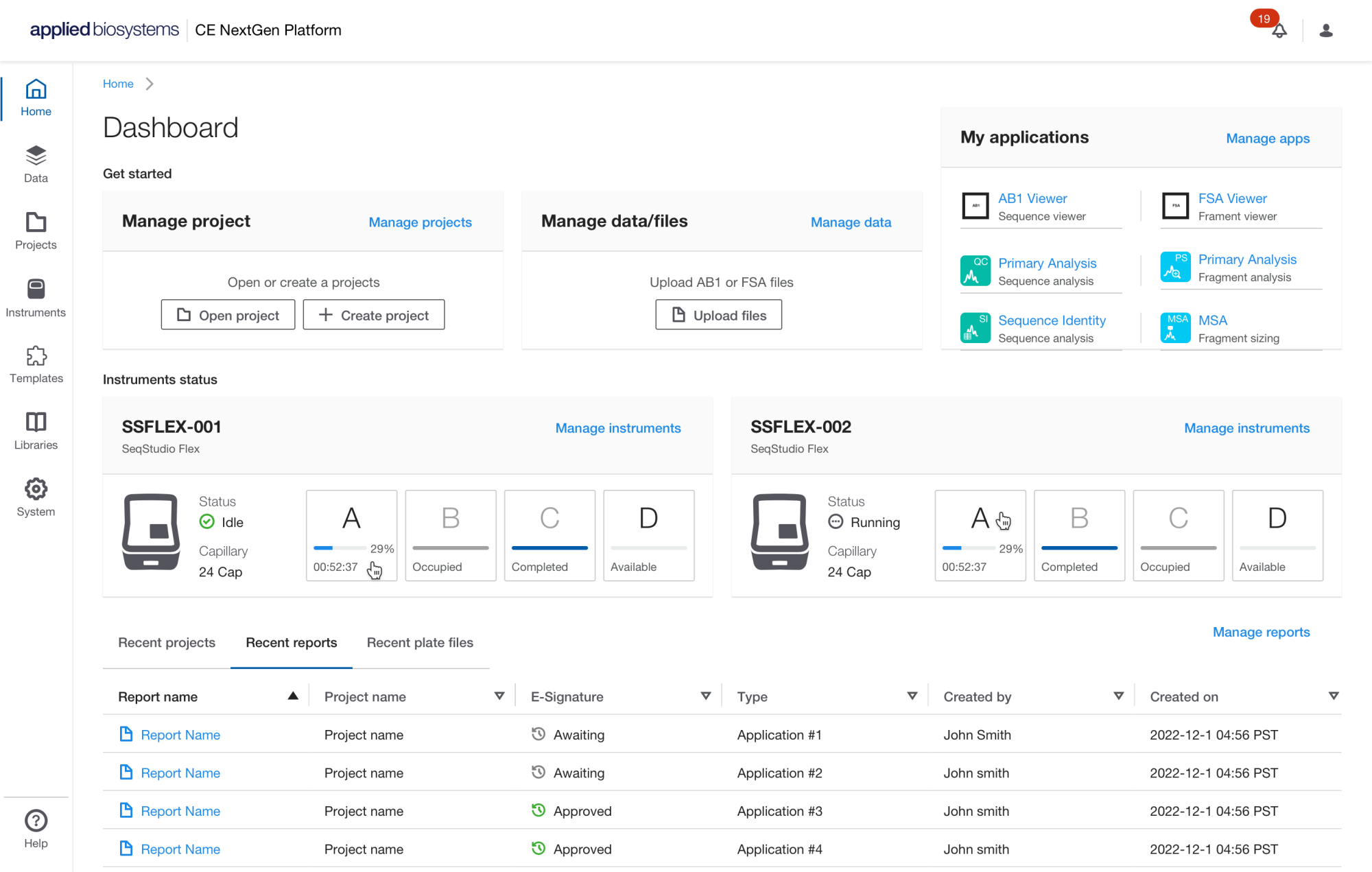
Home Dashboard: The InnoviGene Suite data is stored on your local computer in a folder location specified by the user during the installation of InnoviGene Suite software. If another member of your group is added to the same SAE Administrator Console, the InnoviGene Suite allows you to share items with those same users within the InnvoiGene Suite.
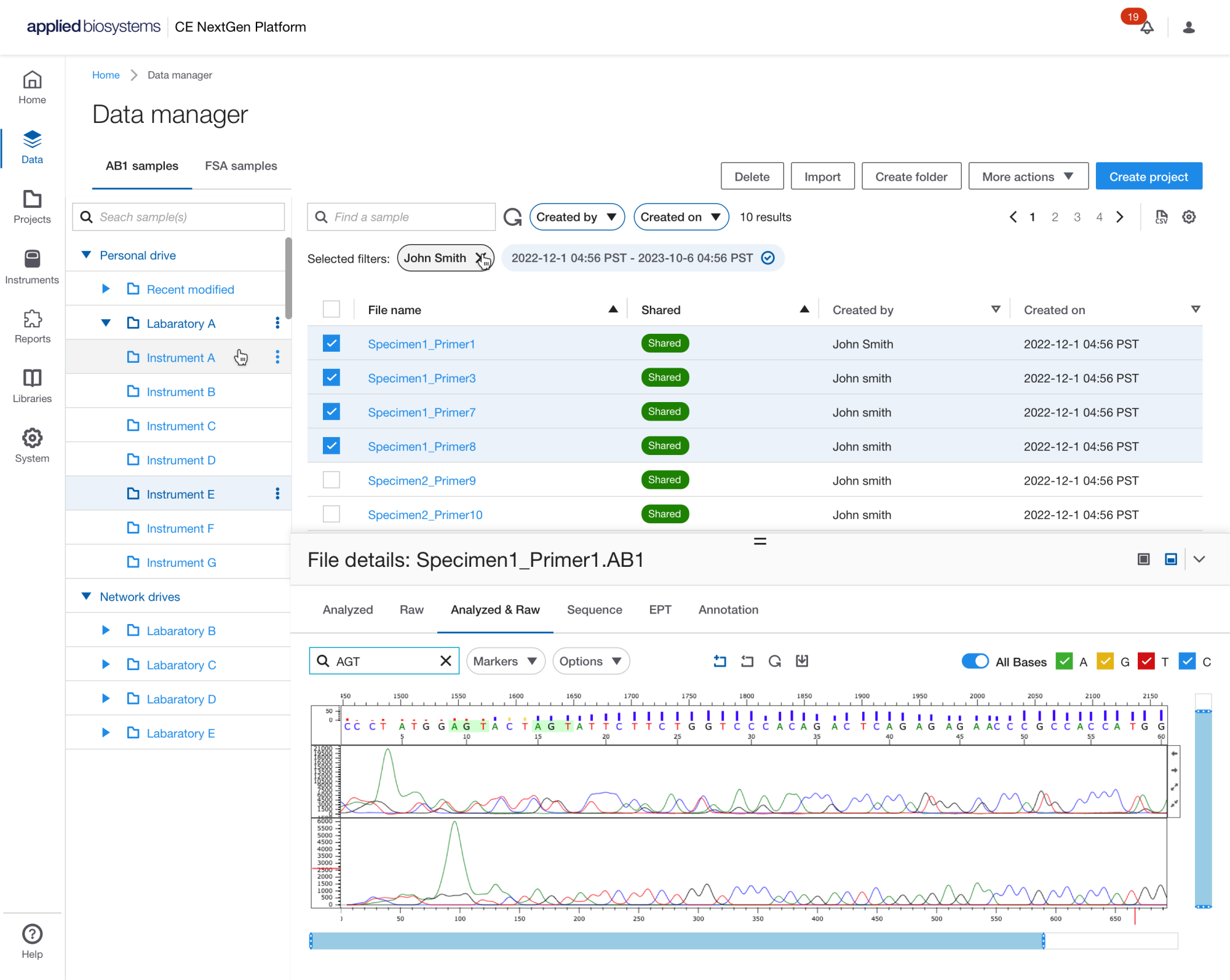
Data Management: The InnoviGene Suite is installed on a local computer and has browser-based access. Data can be imported into projects from the Data Manager, local computer, or network drive. With browser-based access, you can access the software from any computer on the same network and share data with colleagues using the same instance of the InnoviGene Suite.
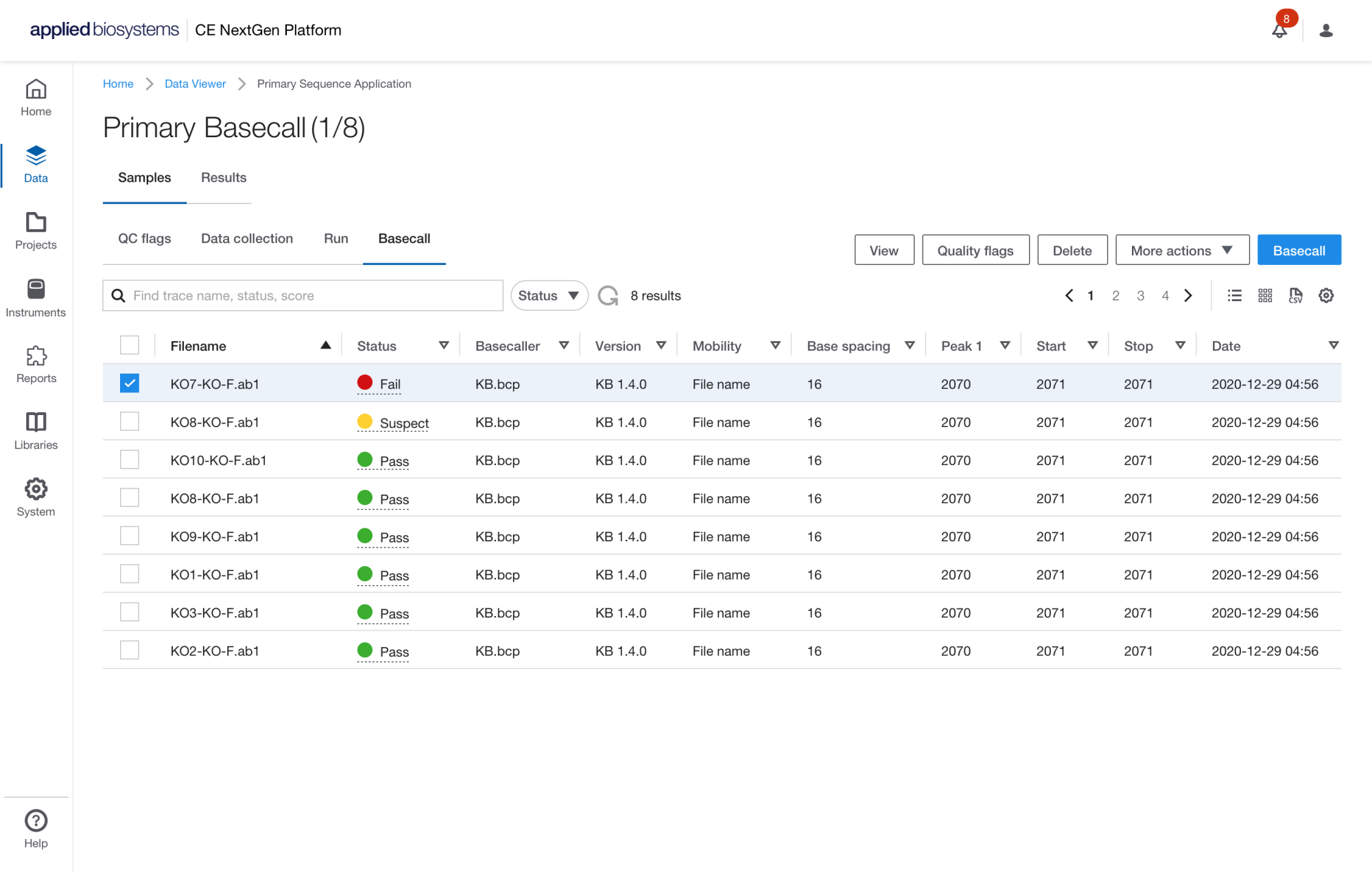
QC Primary Sizecall-Basecall
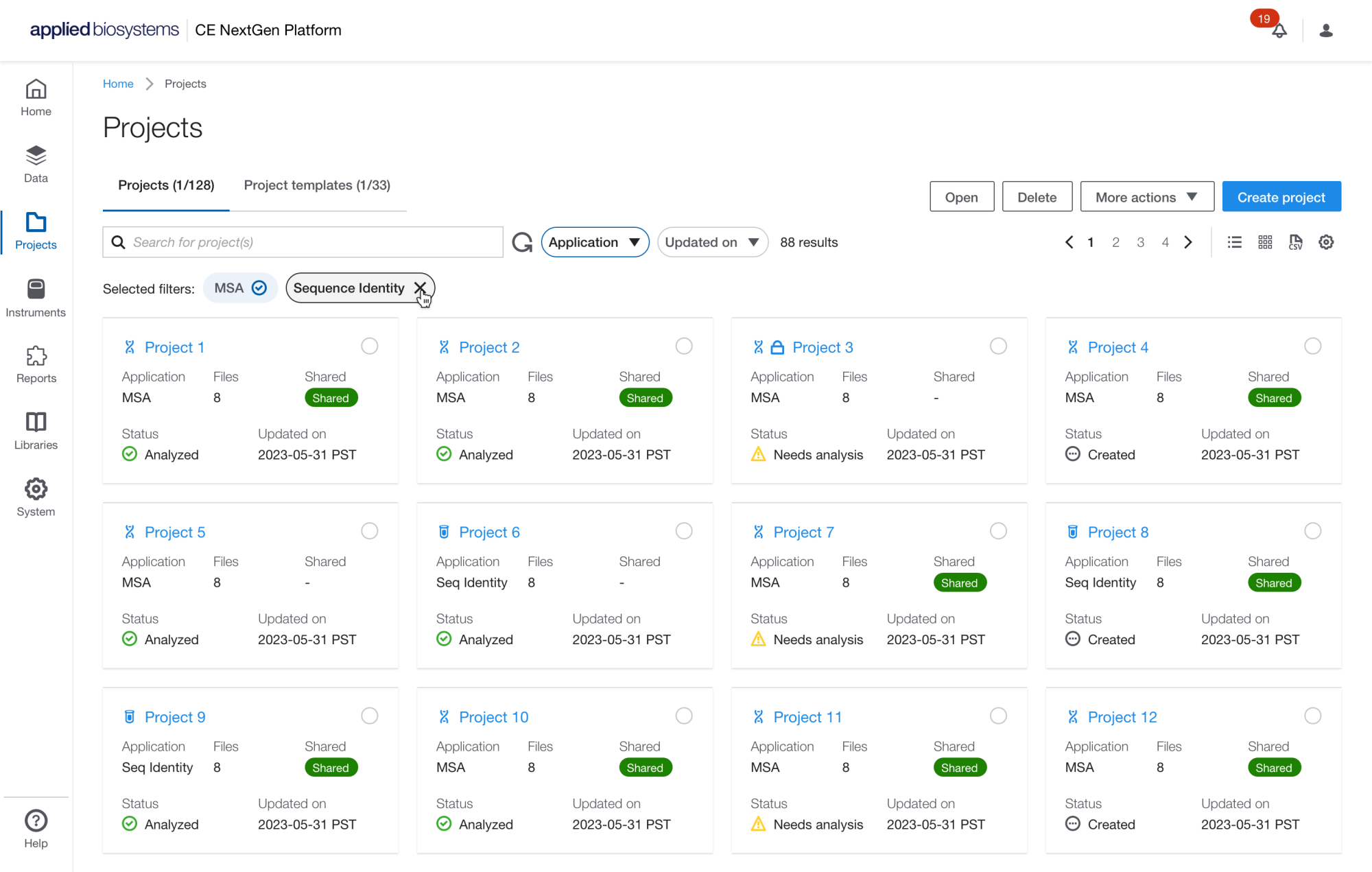
Projects Management: Users within the same instance of the InnoviGene Suite can share custom items such as data, projects, templates, reports, and more by using the ''share'' function. To access this feature in SeqID, simply navigate to the ''more action'' menu in the sections of interest. In addition, the software supports connection to a network drive for import of data and export of reports and results.
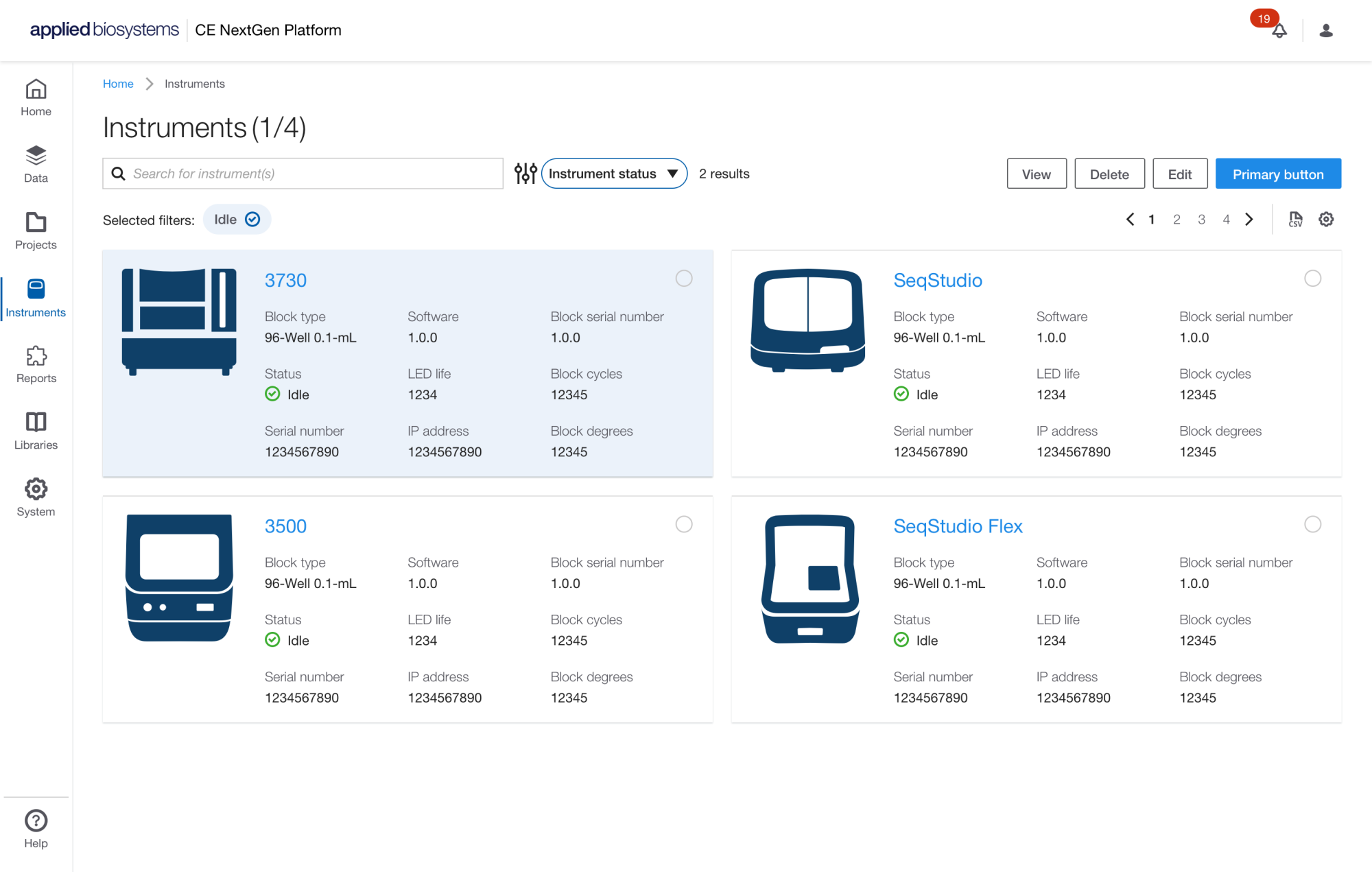
Instrument Management
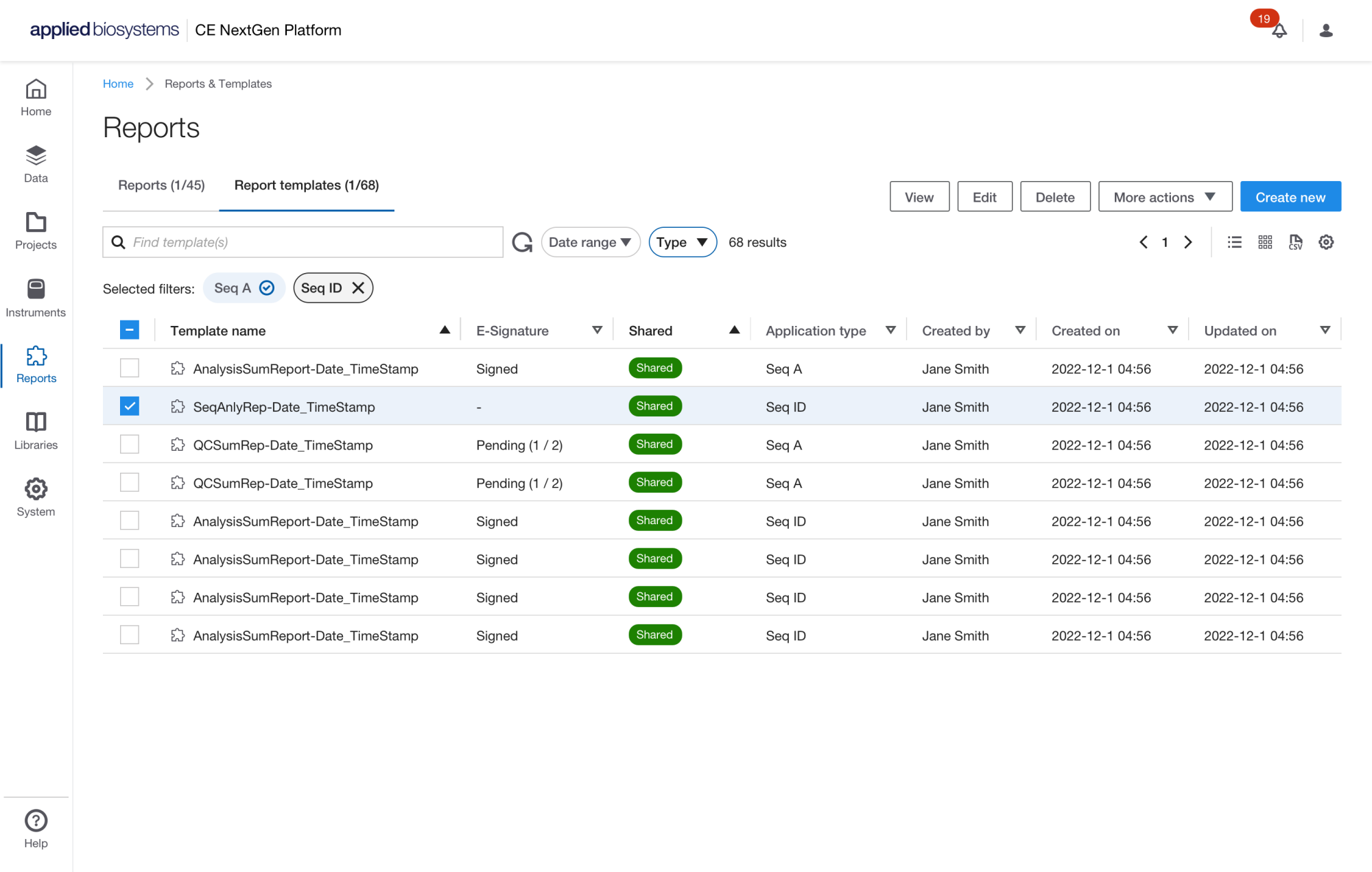
Reports & Report Templates
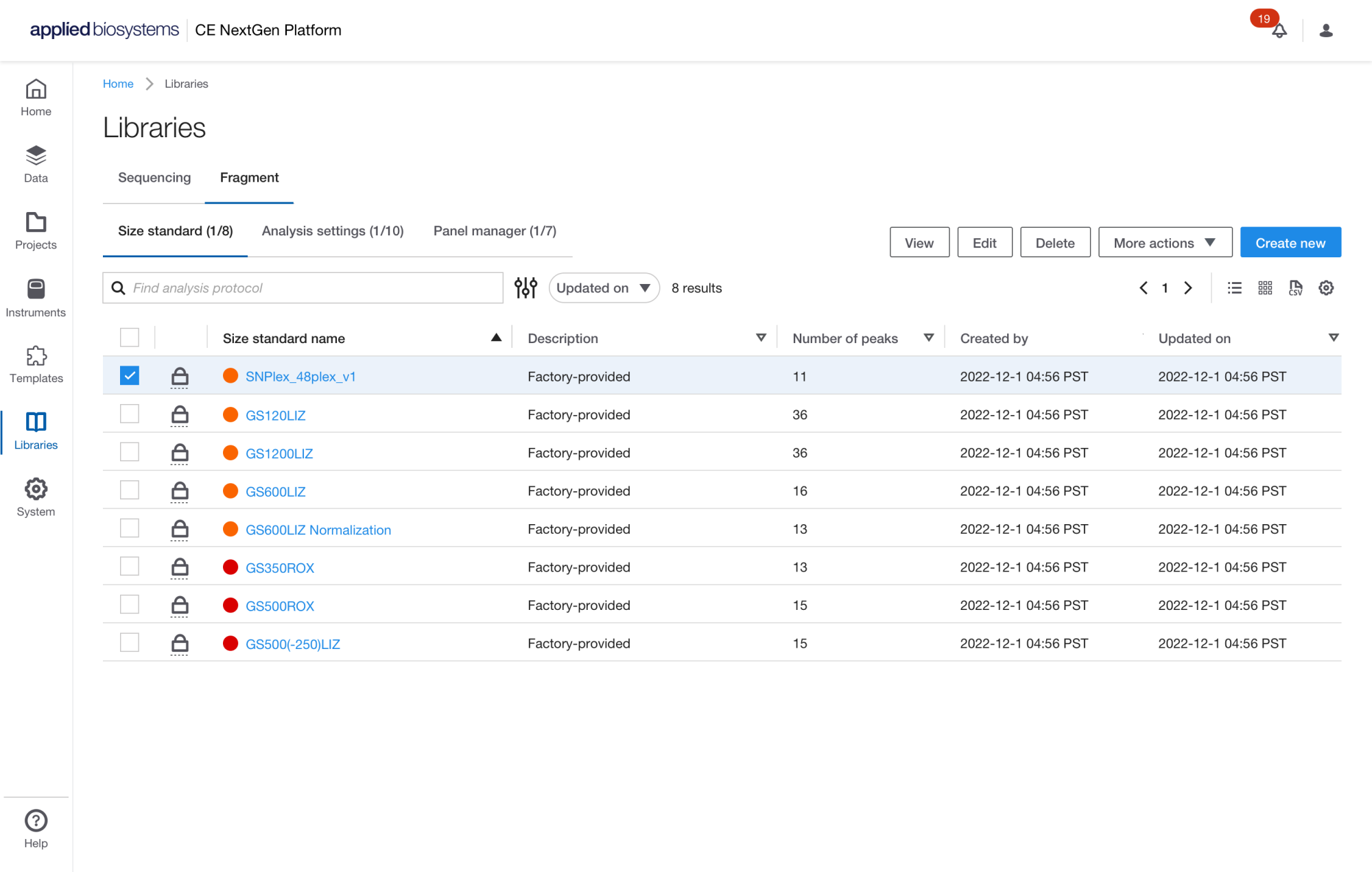
Project Libraries: Utilizes AI-driven base calling (Smart Deep Basecaller) to improve the analysis of "borderline" reads, reduce necessary re-runs, and analyze large volumes of samples within a single project.
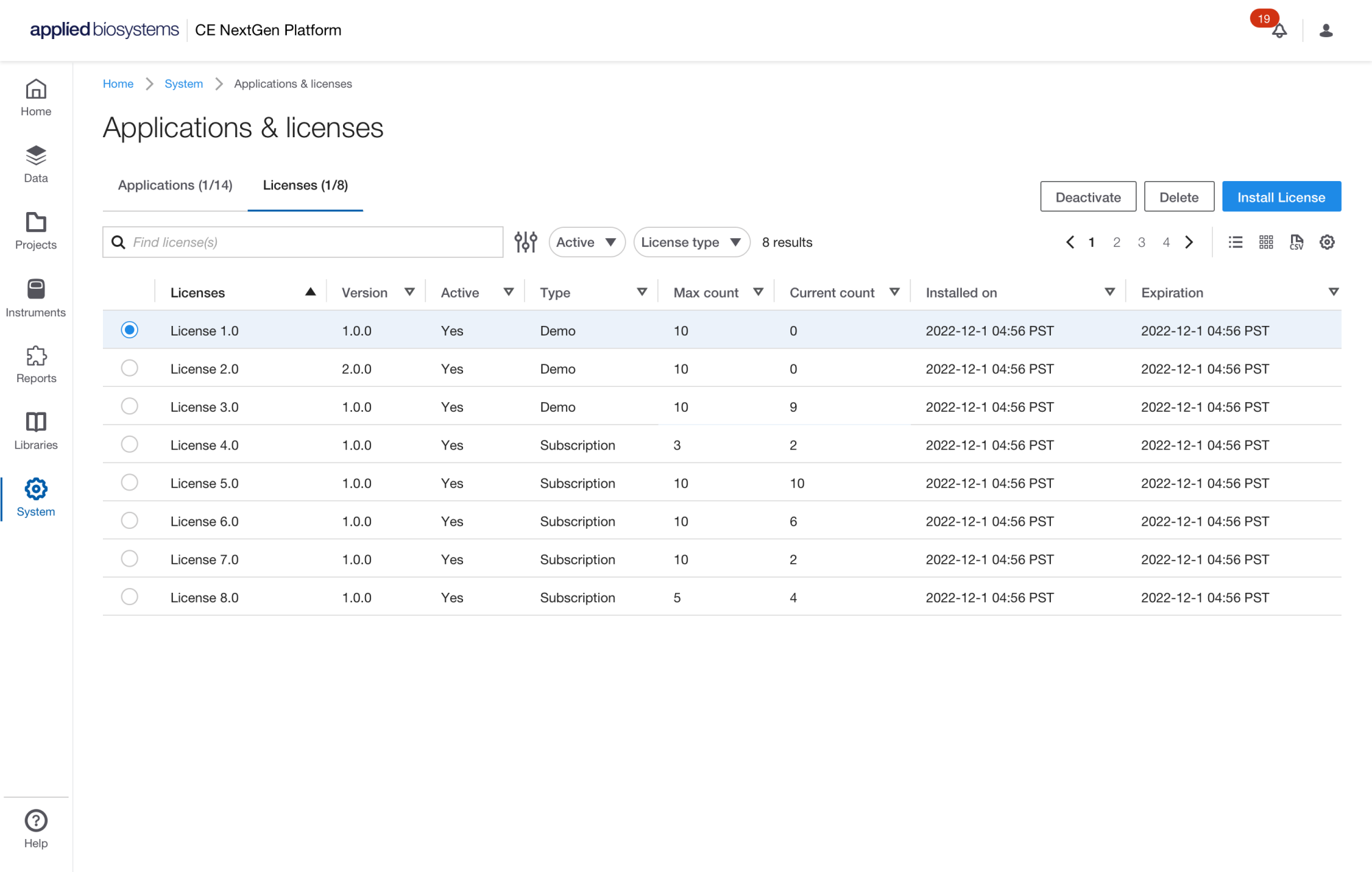
Application and License Management: The InnoviGene Suite licensing is intended for a single installation instance. This means that the license is tied to a specific computer where the software is installed. However, with browser-based access, you can access the software from any computer on the same network.
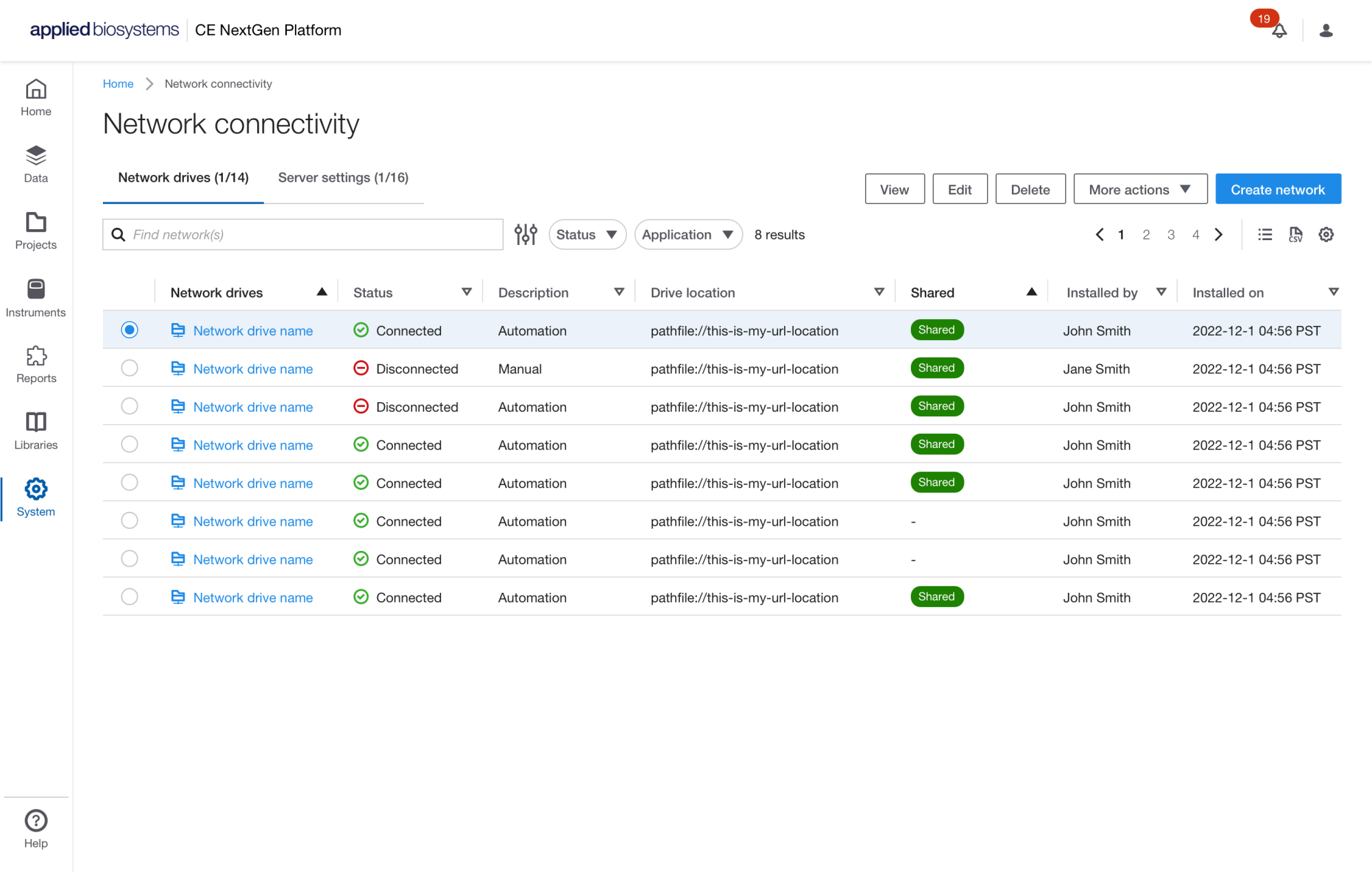
Network & Server Management: In addition, the software supports connection to a network drive for import of data and export of reports and results. With browser-based access, only colleagues on the same network and with user credentials on the same instance of the InnoviGene Suite may have access to the data.
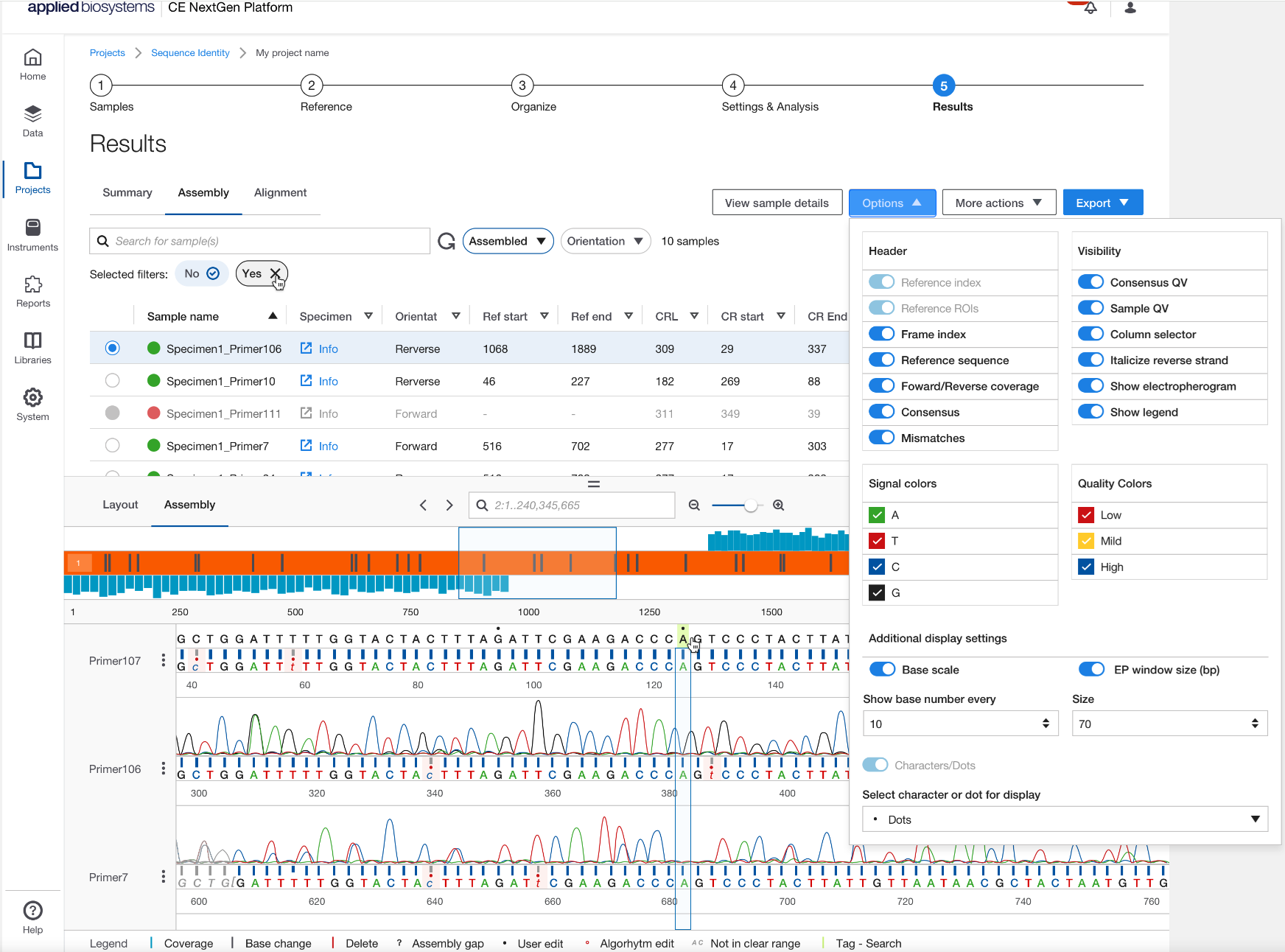
Results: In the InnoviGene Suite, you can find a list of mismatches in your Sequence Identity project in the following locations: Results summary mismatches details, mismatches table in the Alignment tab, the exported mismatches.csv, and in the pdf report if mismatch summary is included.
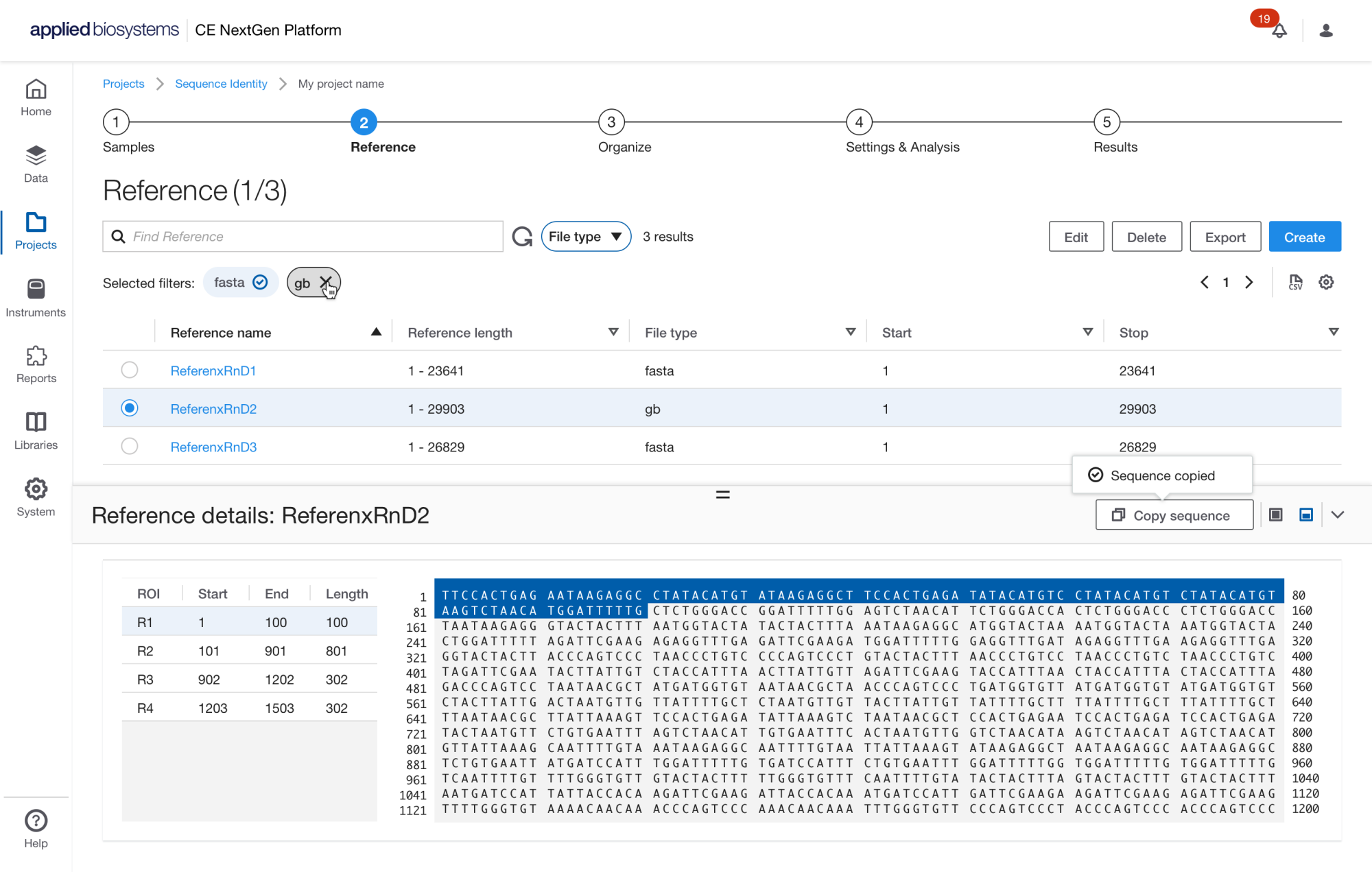
Reference Files: In InnoviGene Suite software, reference files can be in GB (GenBank) or FASTA format. There are limits to the file size and reference length. The maximum file size for a reference is 25 MB, and the maximum reference length is 100 kb.
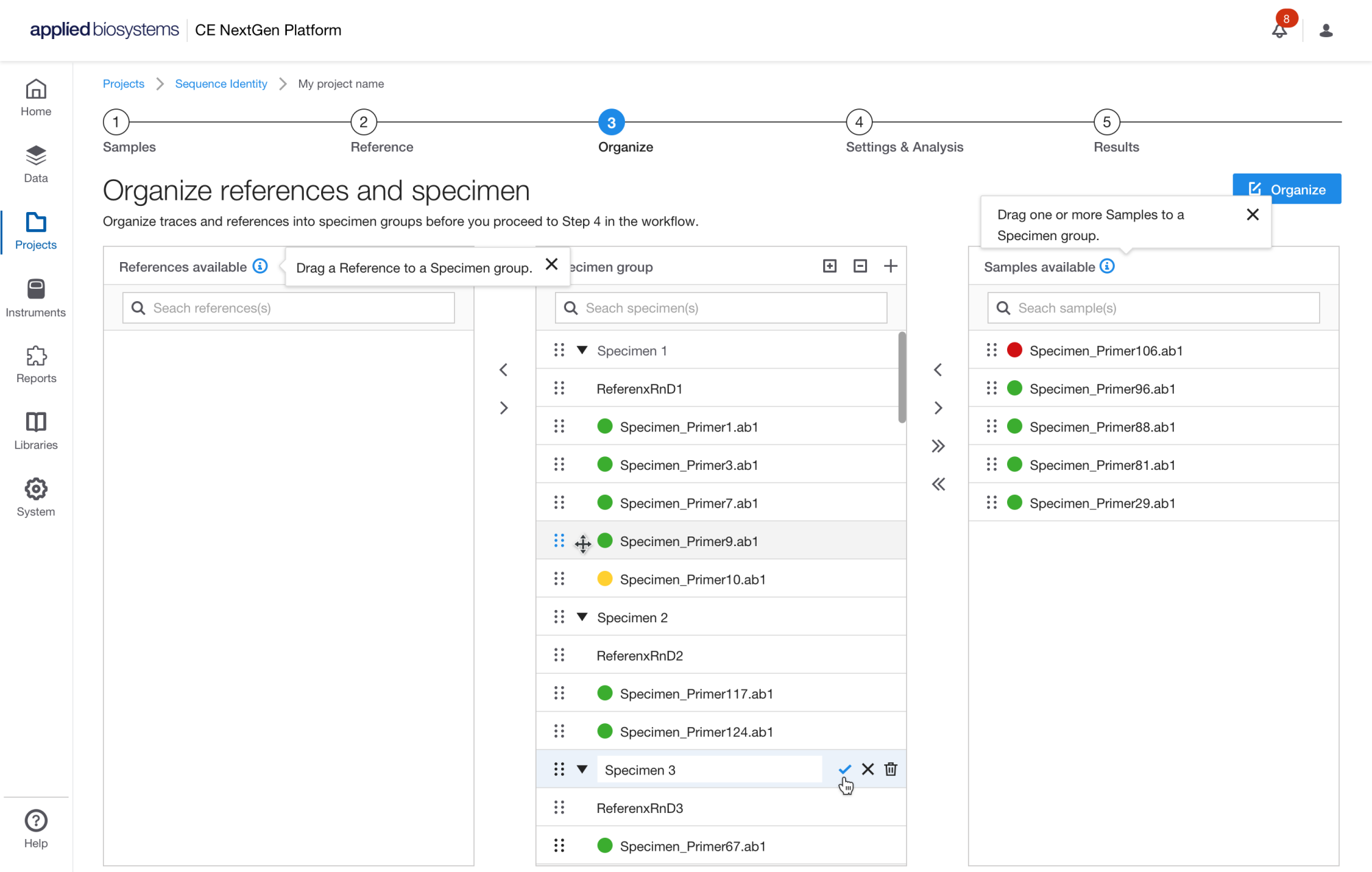
Organize - Reference to Specimen
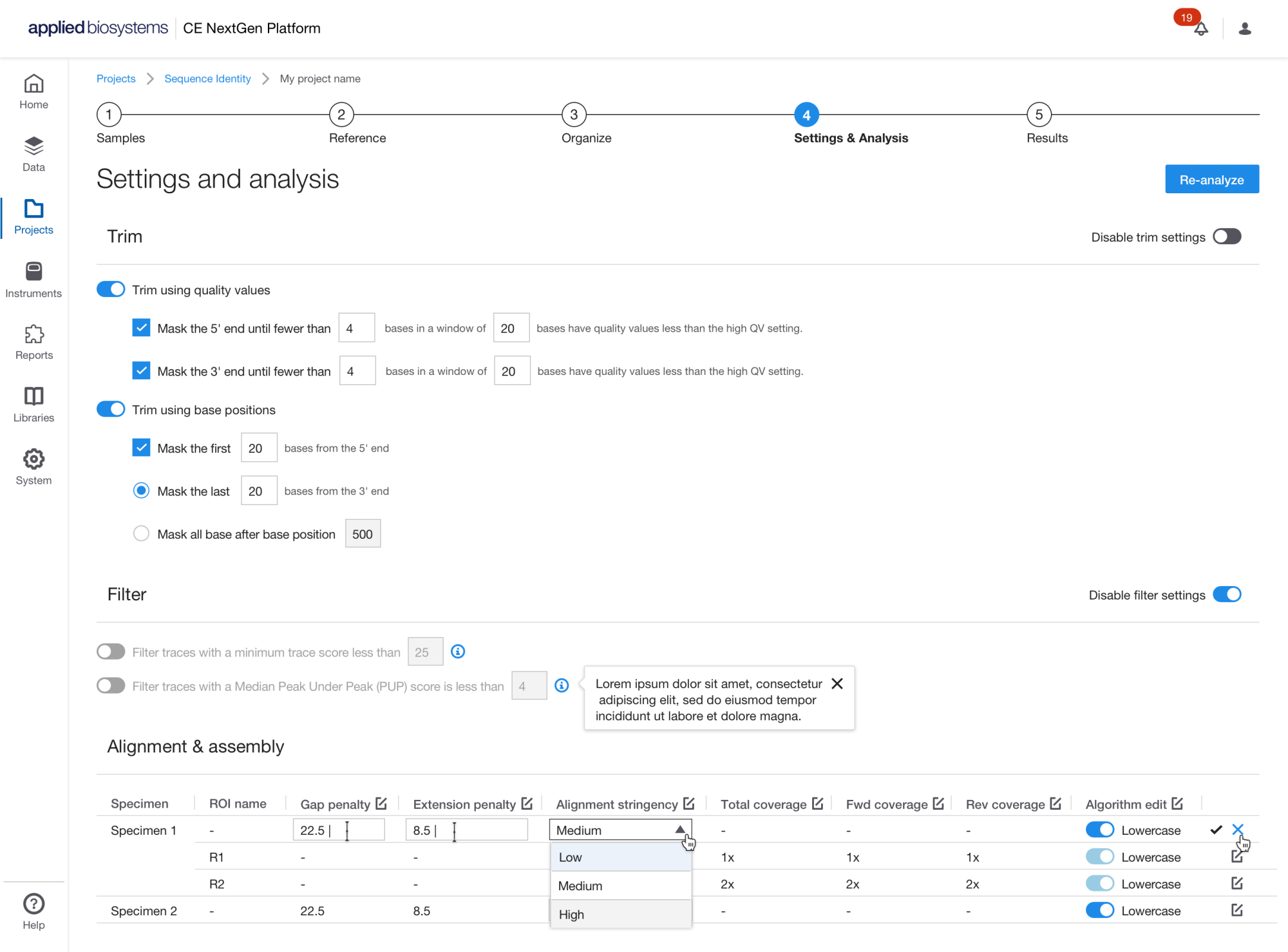
Sequence Analysis Settings: For the Sequence Identity application in the InnoviGene Suite, we recommend using the following basecalling options, Mixed basecalling and PCR stop, with either KB or Smart Deep Basecaller (SDB) with Classic View.
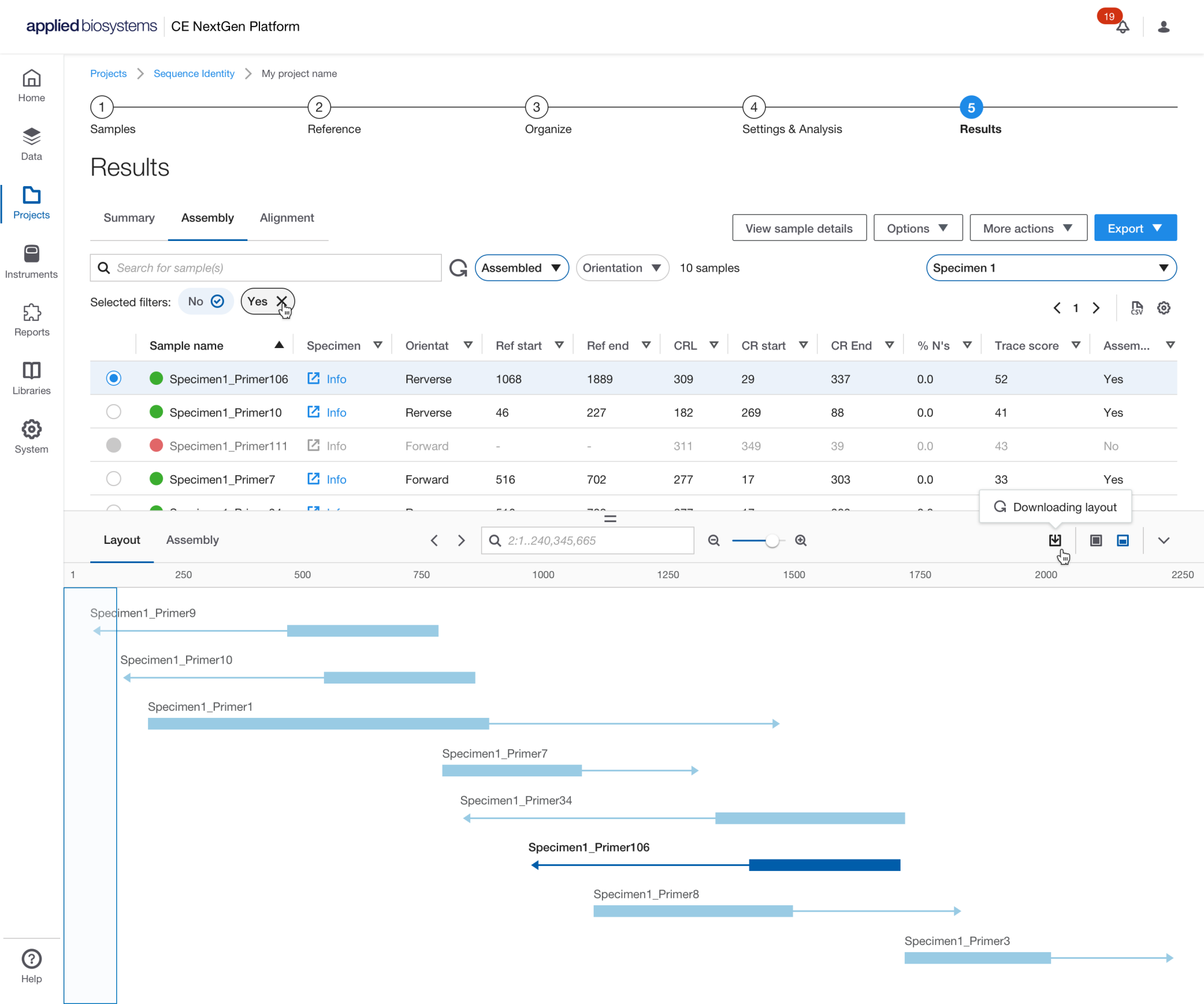
Samples Results: From ''export results'' in SeqID, you can export trim and filter settings csv, alignment and assembly settings csv, assembly results csv, alignment results csv, mismatch csv, FASTA files of reference and consensus, and PDF reports of QC and summary.
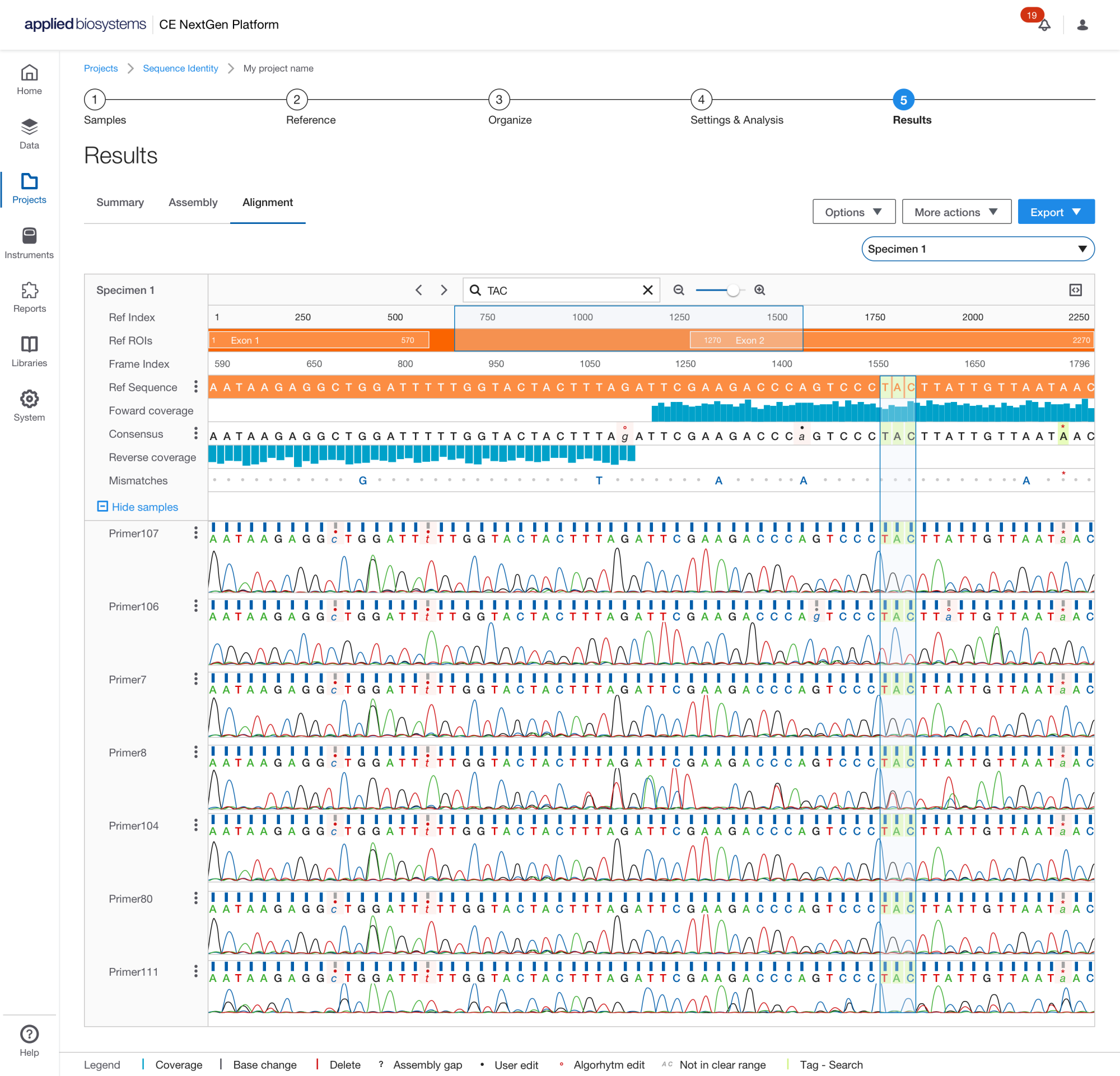
Specimen Results: Users within the same instance of the InnoviGene Suite can share custom items such as data, projects, templates, reports, and more by using the ''share'' function. To access this feature in SeqID, simply navigate to the ''more action'' menu in the sections of interest. In addition, the software supports connection to a network drive for import of data and export of reports and results.
.png)
Report Template Organization
.png)
Quality Control Report
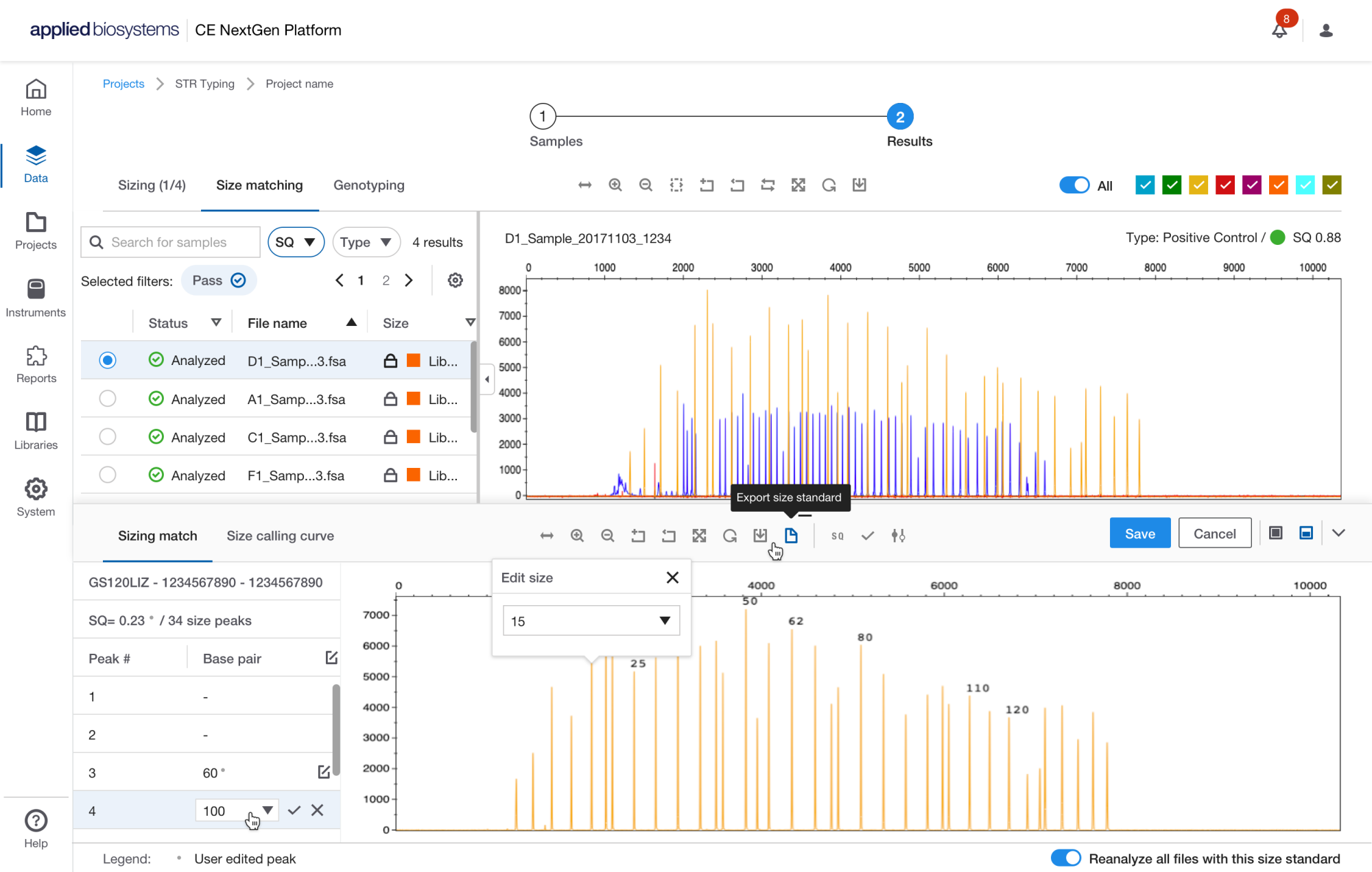
Size QC - Size Matching View